Features
Everything you kept IntelliJ open for.
An editor, language servers, git, a database client, a debugger, a real terminal and Claude Code, in one native window. This is what each of them does in Kami 0.8.
Editor
An editor that knows the shape of your code.
Structure comes from tree-sitter, so highlighting, folding and selection work the instant a file opens, before any language server has started.
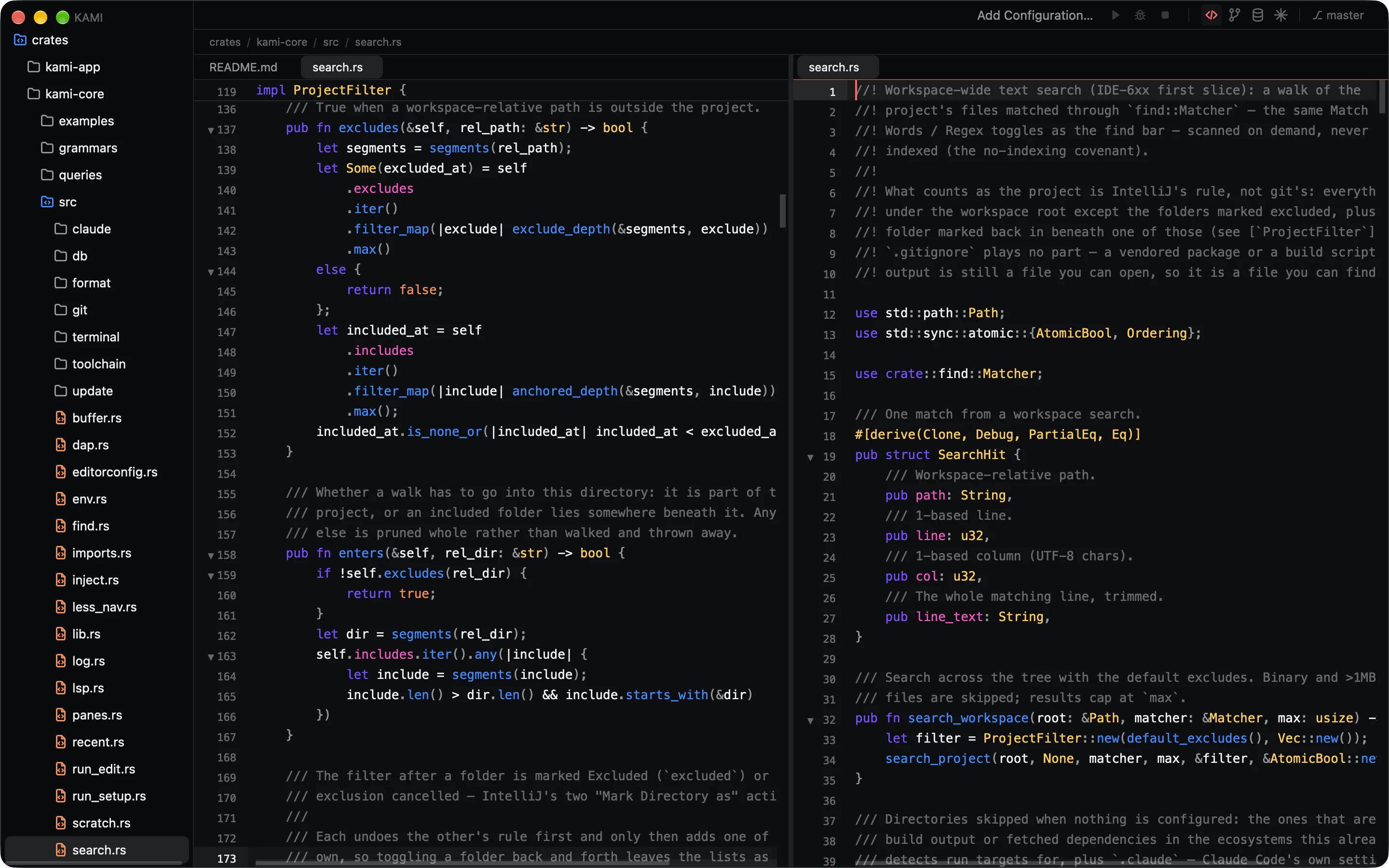
Editing
- Multiple carets: ⌥-click to add one, ⌃G for the next occurrence, ⌥-drag for a column.
- ⌥↑ and ⌥↓ grow and shrink the selection along the syntax tree.
- Brackets and quotes close themselves and wrap a selection.
- Duplicate, move and delete lines the JetBrains way.
- Clipboard history, bookmarks, and undo that brings the caret back to the edit.
Reading
- Highlighting for 32 languages, with doc comments in a colour of their own.
- Folding from the syntax tree, kept when a file closes and reopens.
- Sticky scope headers and breadcrumbs for where the caret is.
- Unused variables and imports dimmed as you type.
- Markdown and CSV preview beside the source, or in place of it.
Tabs, splits and saving
- Split right or down, with the same file editable in both panes.
- Drag a tab to another pane, or to a pane’s edge to split there.
- Pin and reorder tabs; the layout comes back after a restart.
- Autosave when you pause, switch tabs or leave the window.
- Files changed on disk reload in place. Zen mode hides the rest.
Code intelligence
Language servers, one per project.
Each server starts from the nearest Cargo.toml, tsconfig.json or composer.json, so every package in a monorepo is read with its own config. A server that crashes takes nothing else with it.
- Rust
- TypeScript
- TSX
- JavaScript
- PHP
- Vue
- HTML
- CSS
- Less
- JSON
- Python
- Go
- Java
- Kotlin
- Swift
- Scala
- Ruby
- C
- C++
- C#
- SQL
- XML
- YAML
- TOML
- Markdown
- Bash
- Dockerfile
- CoffeeScript
- NEON
- Apache config
- .env
- .gitmodules
With a language server out of the box. Every language is highlighted, folded and navigable.
In the editor
- Completions with snippets that add the import when you accept them.
- Hover docs, signature help and inlay hints for names and types.
- Go to definition, find usages, and rename across files as one undo.
- Quick fixes behind ⌥↵. Diagnostics inline and in a Problems panel.
Formatting
- A native formatter shaped after IntelliJ’s for JSON, CSS, JavaScript, TypeScript and TSX.
- Format the file, the selection or only changed lines, on demand or on save.
- Import your
.ideacode style once..editorconfigis read too. - Other languages use their server’s formatter, or none.
Web projects
- Kami installs its own Node and TypeScript server, checked against published SHA-256 sums.
- Vue components highlight each block in its own language and complete project components.
- HTML and Vue tags fold, expand on Enter and close when you type
</. - ⌘-click a Less mixin to its definition, through
@imports.
Search and navigation
One list for everything, and nothing to index.
Files, symbols, commands, tasks and run configurations all live behind ⌘K. A 100,000-file repository is searchable in under a second, with no indexing pass first.
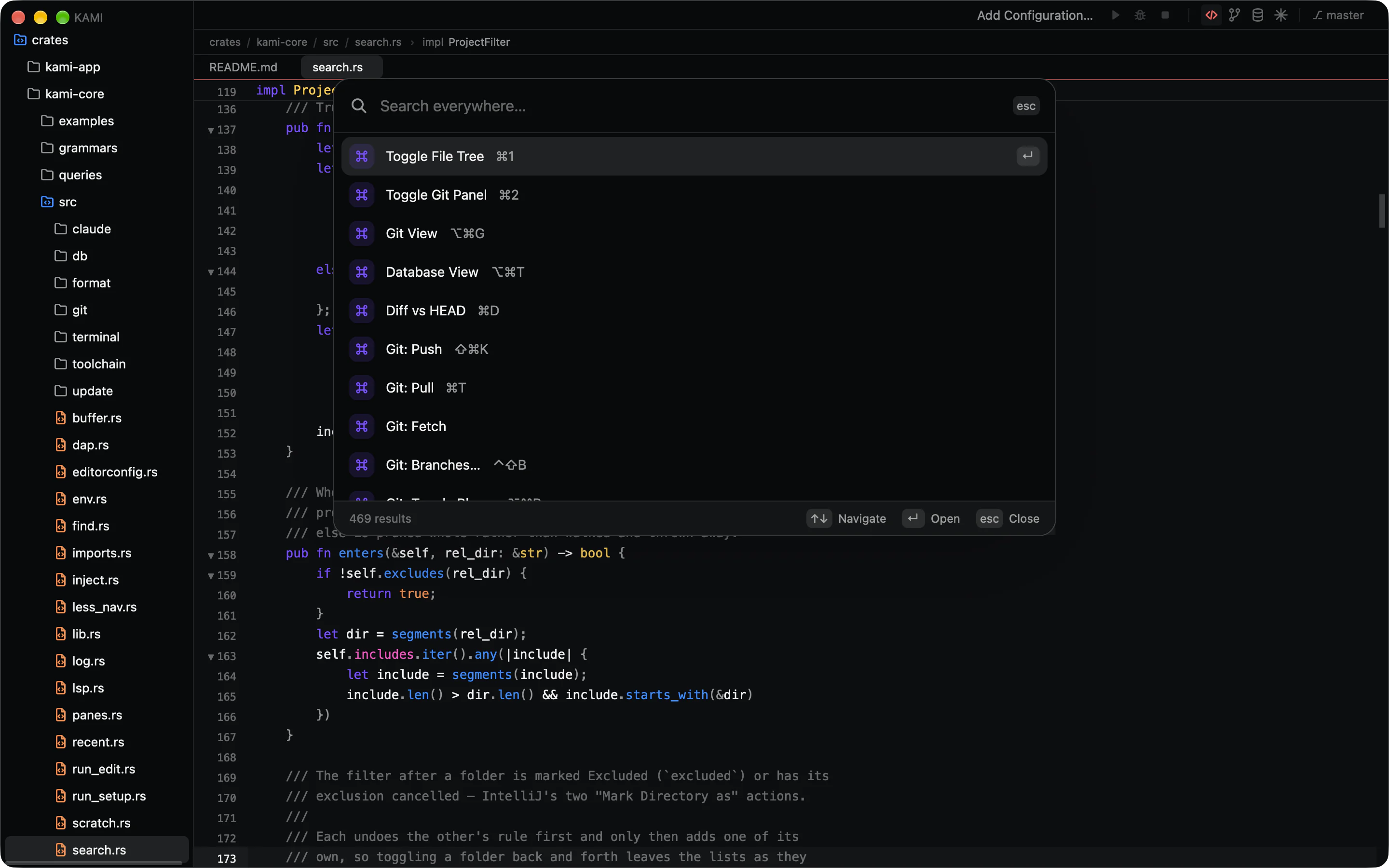
The palette
- ⌘K, or ⇧ twice, seeded with your selection.
- Fuzzy file search;
file:lineopens at the line. - Every command, with its shortcut beside it.
- File structure lists the current file’s symbols.
Find and search
- A find bar over the editor, with an “n of m” count and replace.
- Workspace search as you type, filtered by directory and file mask.
- Match Case, Words and Regex in both, with regex replacements.
- Excluded folders stay out of both searches and the palette.
Getting around
- Back and forward through jumps, hits and tab switches.
- Recent files, a ⌃⇥ switcher and go to line.
- A TODO panel for every TODO, FIXME and HACK.
- Magic Mouse swipes go back and forward.
Git
A git client, not a status bar.
A full-window Git view behind ⌥⌘G for history and commits, and the parts you need while editing right in the editor.
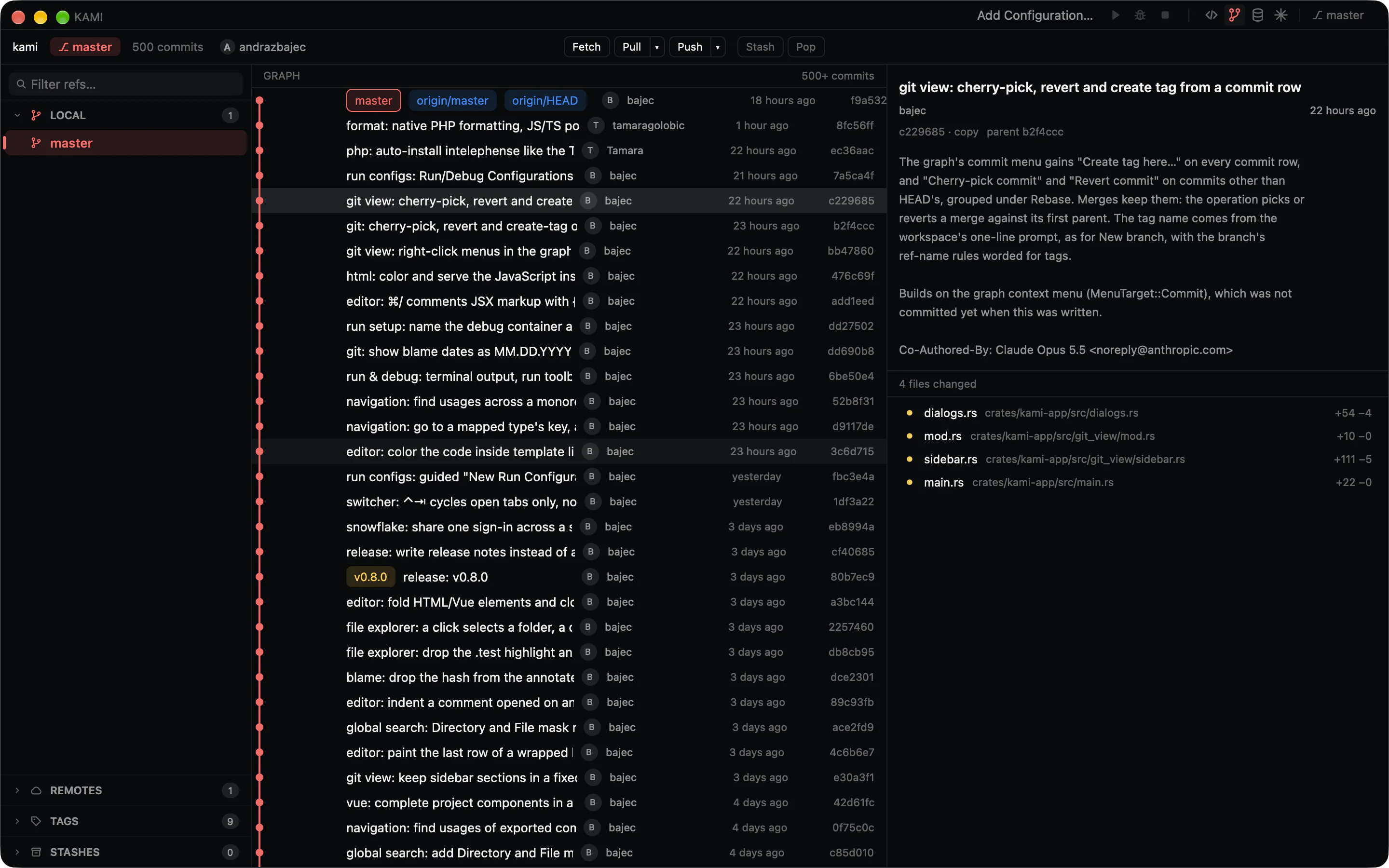
History
- A commit graph with branch lanes and labels that loads as you scroll.
- A sidebar of local and remote branches, tags, stashes and submodules.
- Several repositories in tabs, with linked worktrees picked up.
- Any commit’s message, files and patch, one click away.
Committing
- Stage and discard whole files or single lines.
- A commit composer with Amend, and a warning before amending a pushed commit.
- Unified or side-by-side diffs that collapse unchanged lines and highlight words.
- Commit as any name and email, per repository or globally.
While you edit
- Change marks in the gutter, and a scrollbar that maps them.
- Roll back, diff or commit one change from its marker.
- Blame tinted by age; double-click a line for its commit.
- Push, pull with rebase or merge, and fetch, with ahead and behind counts.
Database
Your database, next to the code that queries it.
PostgreSQL, MySQL, MariaDB, SQLite and Snowflake behind ⌥⌘T. The schema tree comes from a cached catalog, so it opens before the server answers.
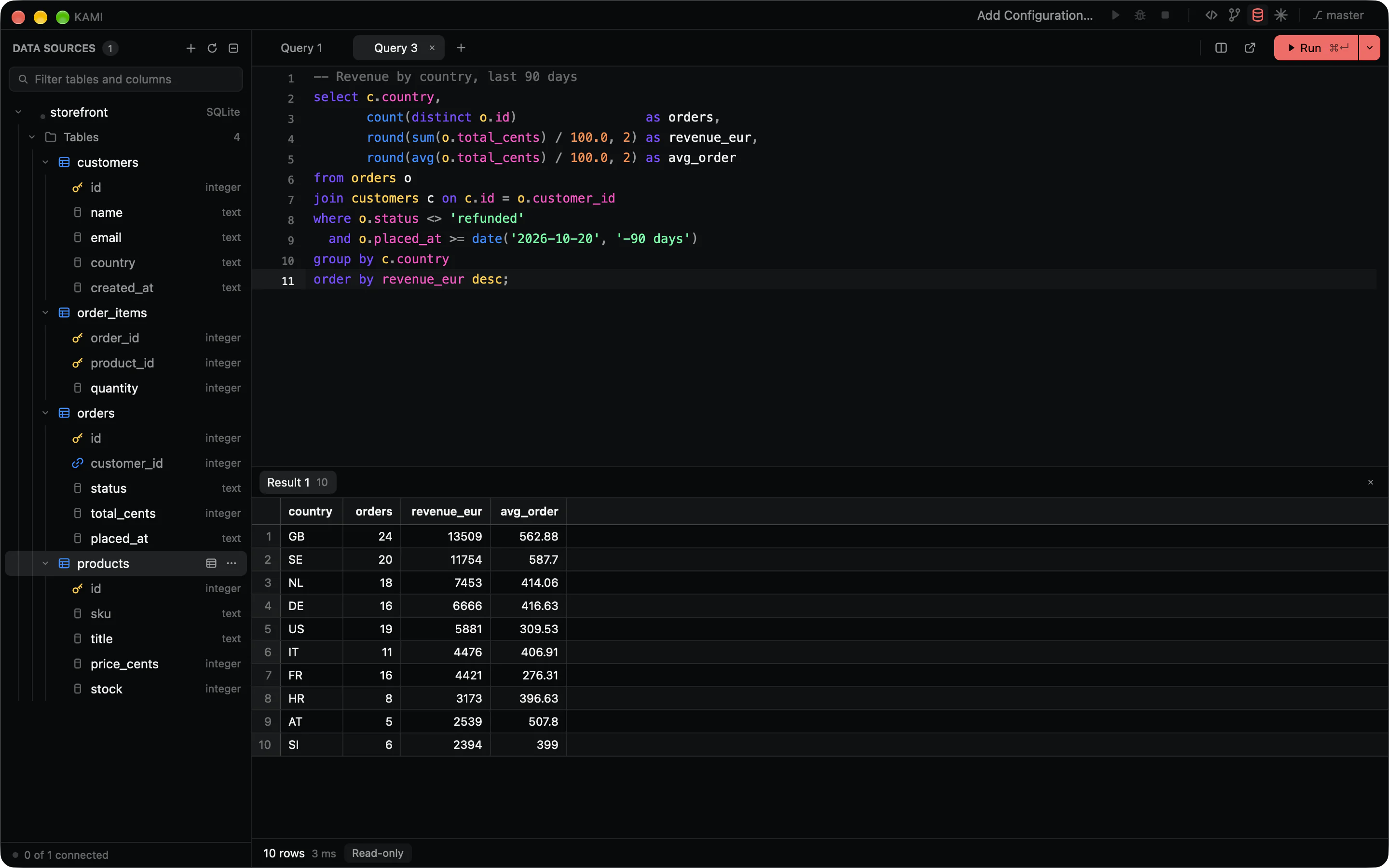
Connecting
- Passwords from your keychain, an environment variable or a command.
- Snowflake signs in through your browser.
- Mark a source read-only, enforced by the server where it can be.
- Keep sources in your settings or commit them with the workspace.
Querying
- SQL consoles with highlighting, completion and several tabs per source.
- Run the statement at the caret with ⌘↵, or the whole script.
- A paged grid you can sort, filter, select and copy from.
- Each query’s status and timing in the output log.
Changing
- Edit rows in place on any table with a key.
- Create, alter and drop tables, columns, indexes and foreign keys from a dialog.
- Every change shows its SQL before it runs.
- A table’s data opens in its own tab.
Debugger and run configurations
Breakpoints where you’d expect them.
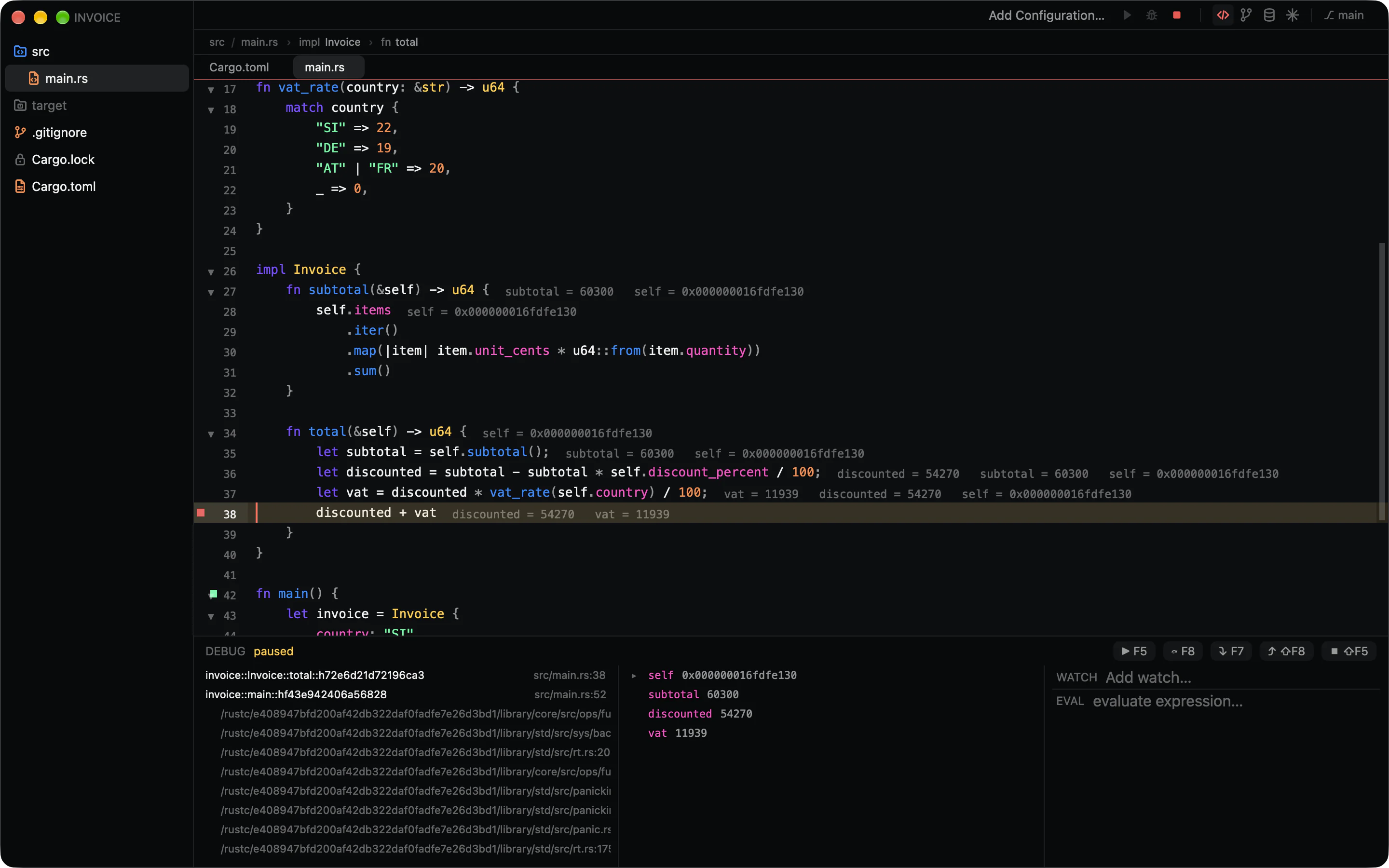
Native code through lldb-dap and Node through the JavaScript debugger VS Code ships, downloaded once and checked against a pinned checksum.
Debugging
- Click the gutter for a breakpoint; ⌥-click for a condition.
- Values appear inline, next to the code that made them.
- Call stack, expandable variables, watches and a console.
- Breakpoints and watches are saved with the session.
Running
- Cargo targets, npm scripts and Make targets, found with no setup.
- Run markers beside
mainand each test. - Configurations in ⌘K as Run and Debug entries.
- Stop ends the whole process group, so containers shut down too.
Configurations
- Arguments, working directory, environment and an env file.
- Steps that run first, in order; a failure stops the chain.
- Attach the debugger to any configuration, including a Docker Compose service.
- One
run.jsonyou can commit for the team.
Terminal and tasks
A real terminal, not a log pane.
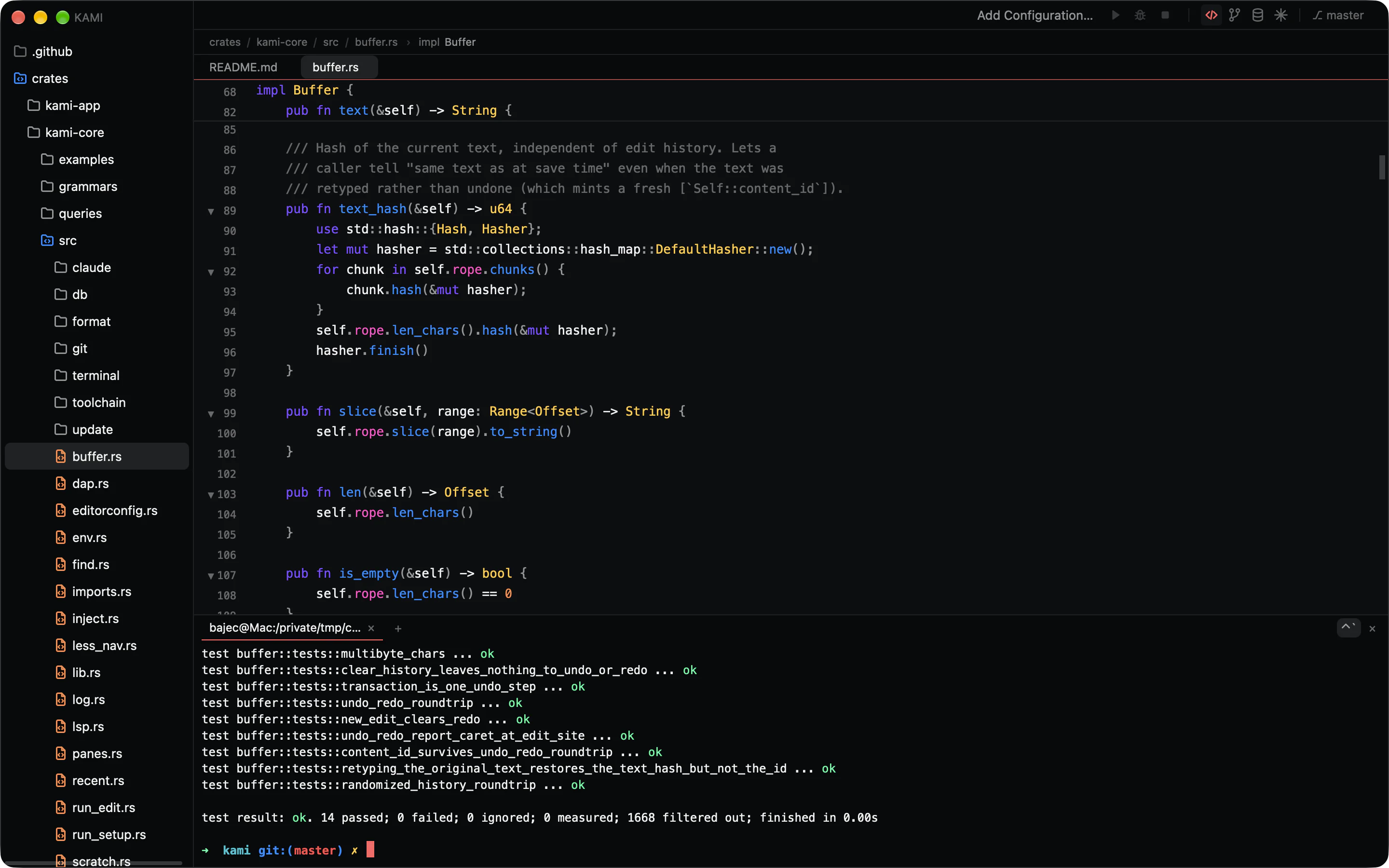
Your login shell in a proper PTY, built on Alacritty’s terminal core, so vim, htop and the Claude Code TUI behave as they do in a native terminal.
The shell
- Tabs, colours, cursor shapes, mouse reporting and bracketed paste.
- Scrollback, selection and copy that stay on their text.
- ⌘-click any
path:lineto open it in the editor.
Tasks
- Clickable errors from rustc, clippy, tsc, gcc, clang and go.
- ⌘R reruns the last task.
- Database query output lands in the same panel.
Tests
- Passes and failures counted as they stream.
- One button reruns only the failed tests.
- Run one cargo test, PHPUnit method or Jest and Vitest block.
Claude
Claude Code, hosted natively.
A side panel and a full view over the same sessions, running the claude CLI you already have. Sign-in stays with the CLI; Kami never sees your credentials.
Sessions
- A live transcript with tool calls, subagents and thinking.
- Past chats grouped by day, with pins and a filter.
- Claude’s questions arrive as cards you answer in place.
- A badge and a notification when a session needs you.
Reviewing
- Every proposed edit opens as a diff you can change first.
- Reject one hunk, or accept the edit with ⌘S.
- Restore files to any earlier prompt.
claudein the terminal connects to the same window.
Context and accounts
- Send your selection with its file and lines.
- Paste screenshots, or drop images and files on the prompt.
- Several accounts, one per project.
- When one hits its limit, carry the chat on with another.
Settings and themes
Bring your colours too.
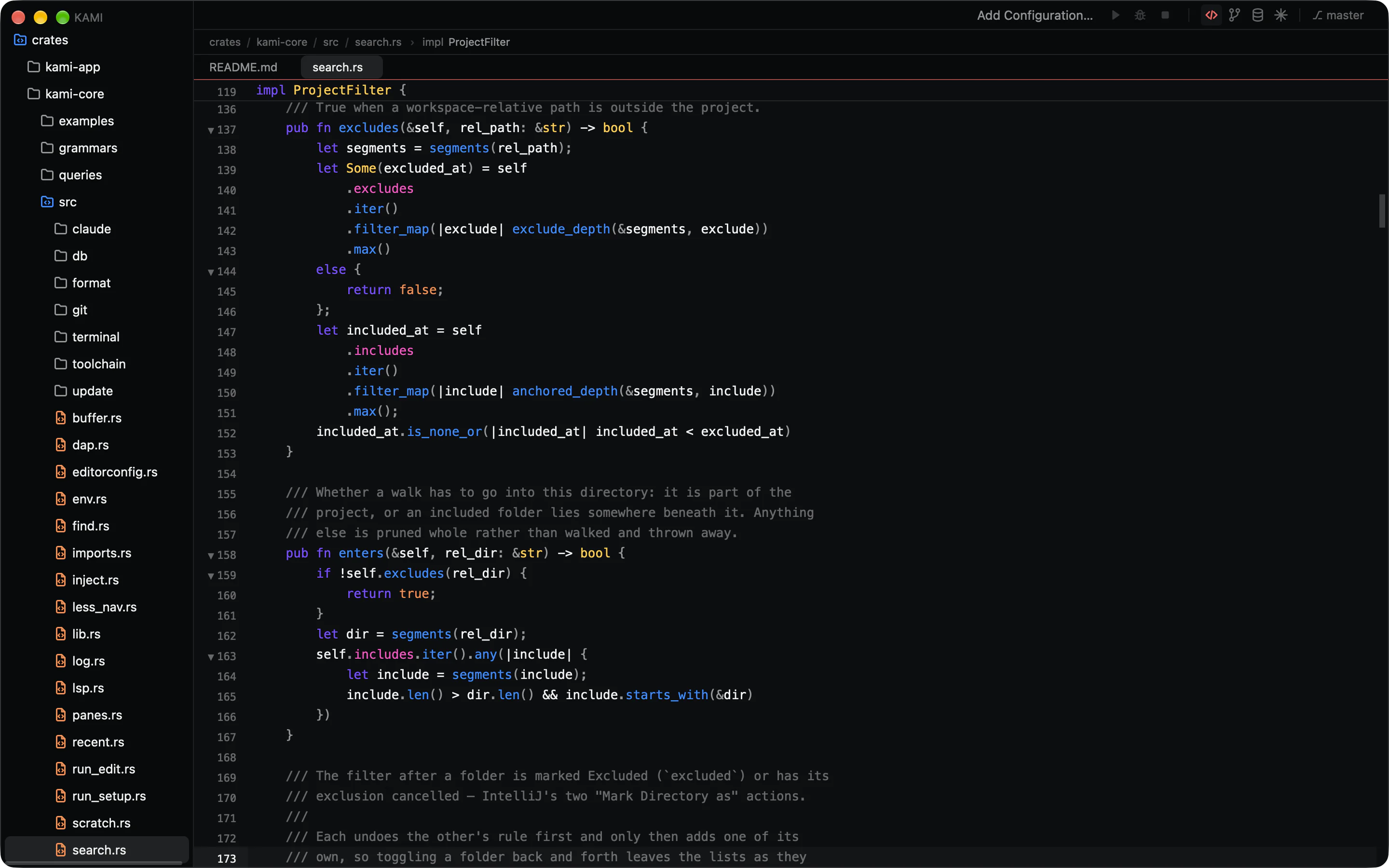
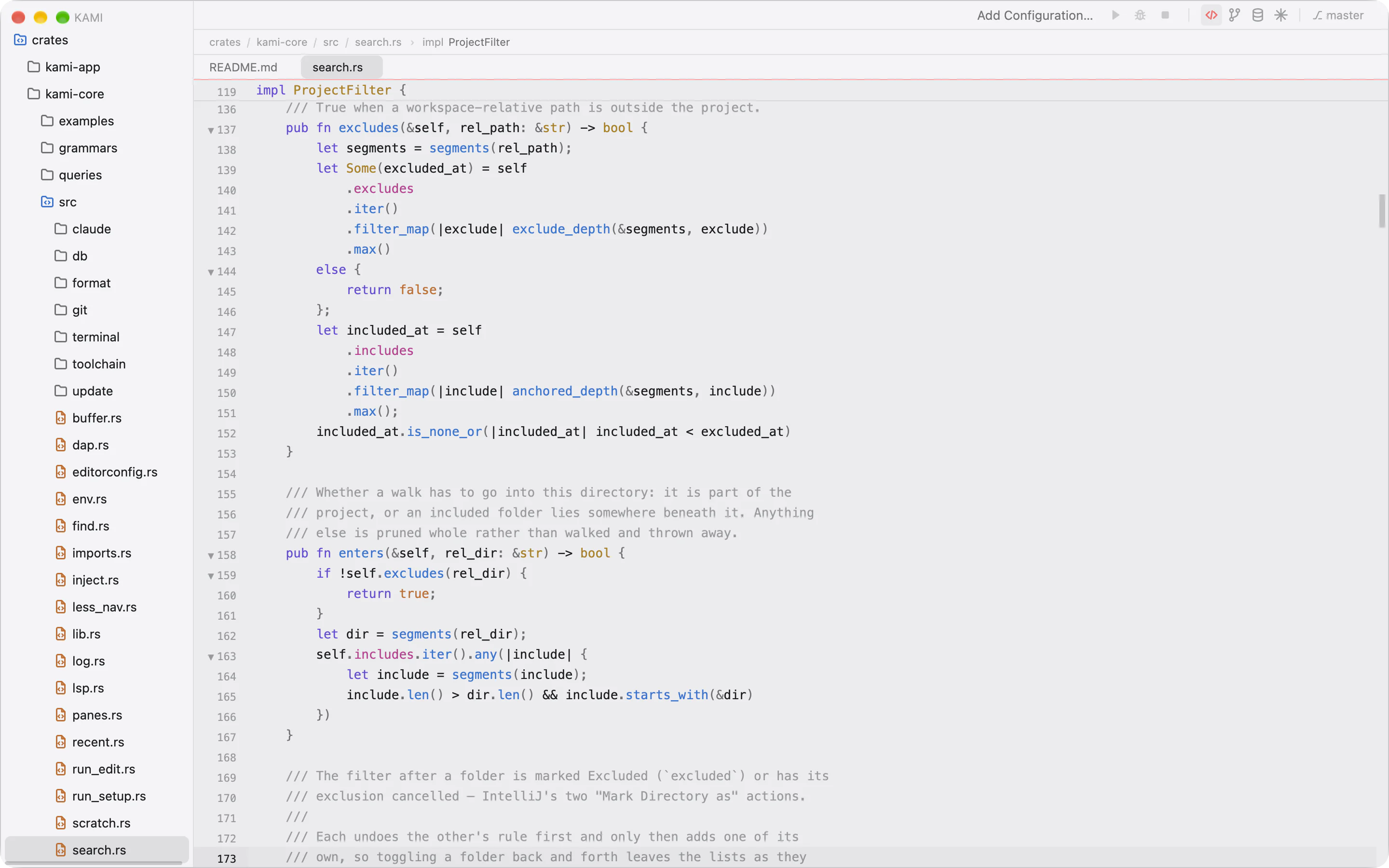
Four themes ship in the box. Any theme made in Raycast’s Theme Studio loads as it is, because Kami is drawn from the same five base colours and seven accents.
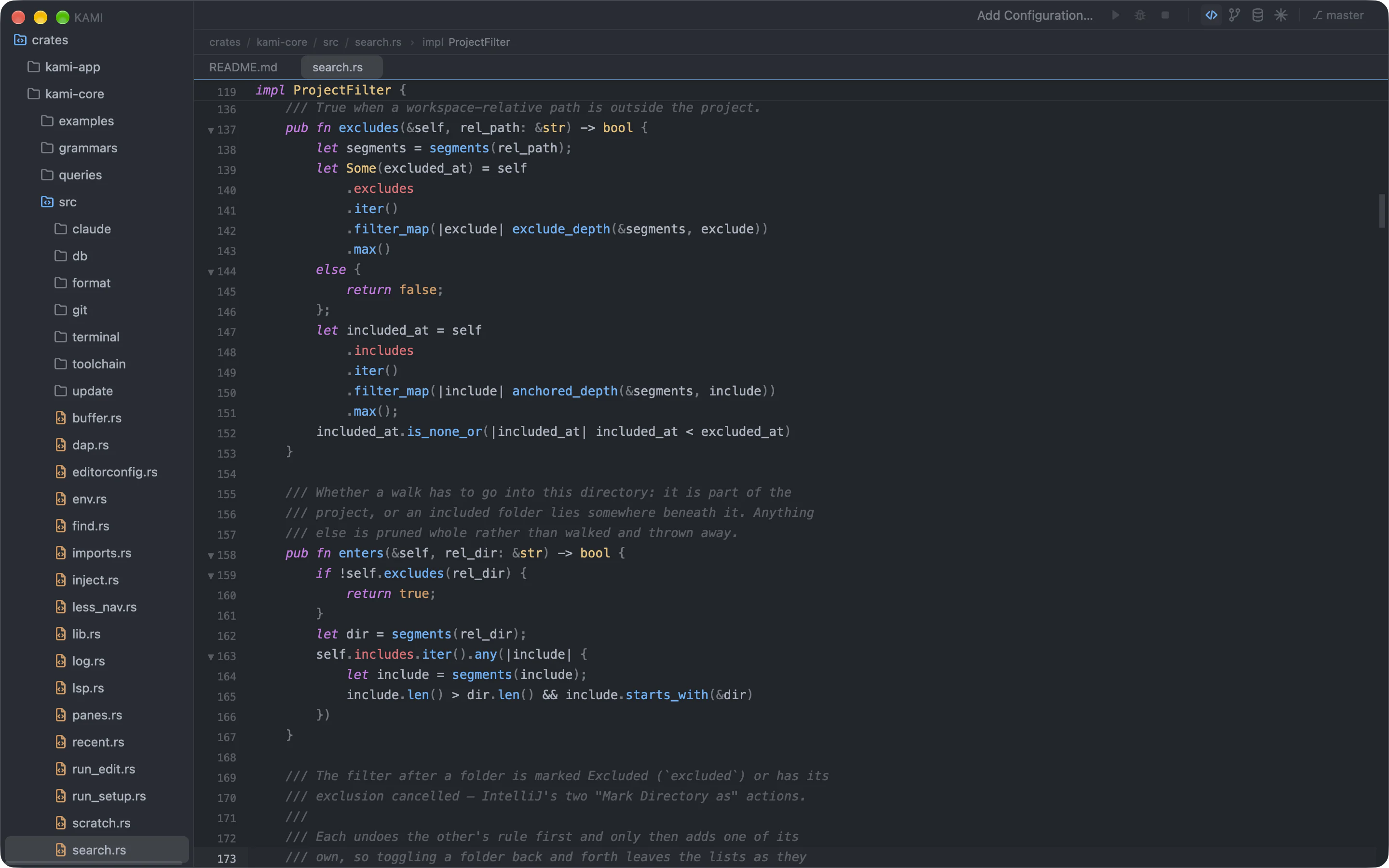
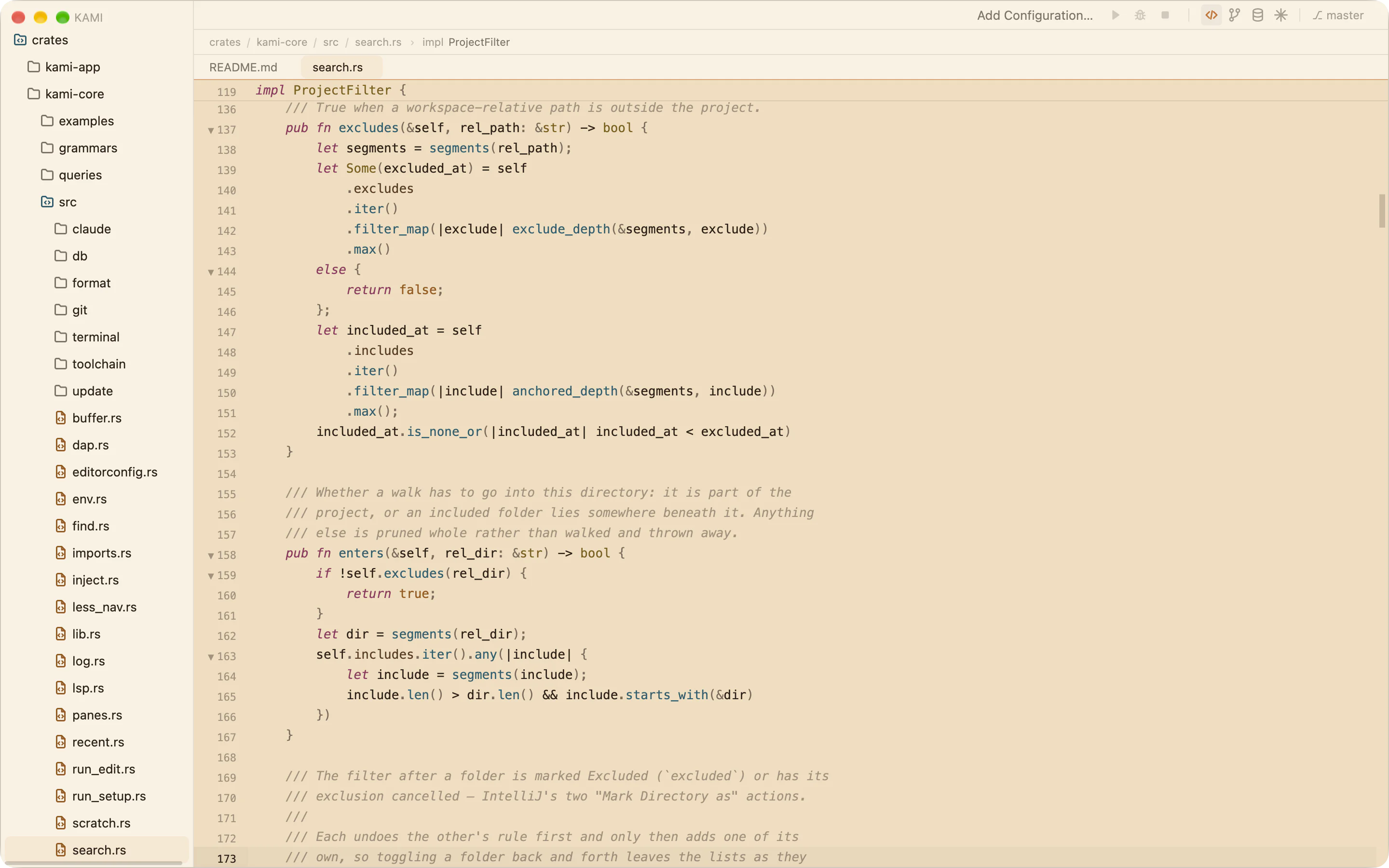
Settings
- A searchable dialog behind ⌘, with a control and a sentence for every setting.
- Layered JSON with comments, for you and for the workspace, reloaded on save.
Keymaps
- Presets for IntelliJ and VS Code, with your own bindings on top.
- A keymap tab that lists every binding and marks conflicts. All shortcuts
Updates
- One plain request a day for a public file, with nothing about you in it.
- Updates download and verify in the background and install when you restart.
How it’s built
Open protocols instead of a proprietary engine.
The parts of an IDE that make it heavy are the parts Kami doesn’t own. Language servers, debug adapters and grammars are best-of-breed tools that run beside the editor, so a crashed server never takes your window with it.
The shell is drawn on the GPU through Metal with GPUI, the framework behind Zed. Everything underneath it is a plain Rust core that never touches the UI.
- Kami shellGPUI on Metal. Workspace, panels, palette, editor views.
- kami-corerope buffertree-sitterLSP clientDAP clientgitripgrepnucleoPTYSQL driversformatter
- Beside it, in their own processesrust-analyzertypescript-language-serverintelephenselldb-dapjs-debugclaude